PC Building Simulator 2 v1.15.06-P2P Download

Game Details
After reviewing the game, BUY the game to support the developer
https://store.epicgames.com/en-US/p/pc-building-simulator-2
Screenshots
About This Game
Uncle Tim’s PC Shop just burned down. Time to rebuild it, one custom rig at a time.
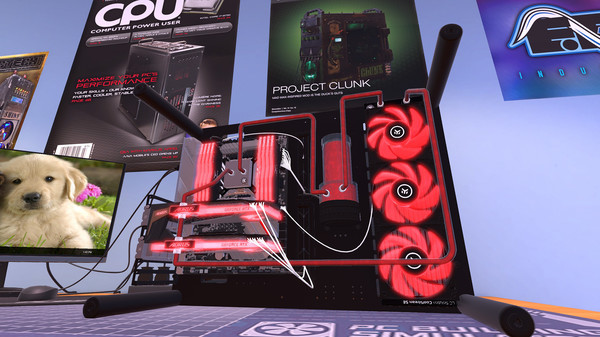
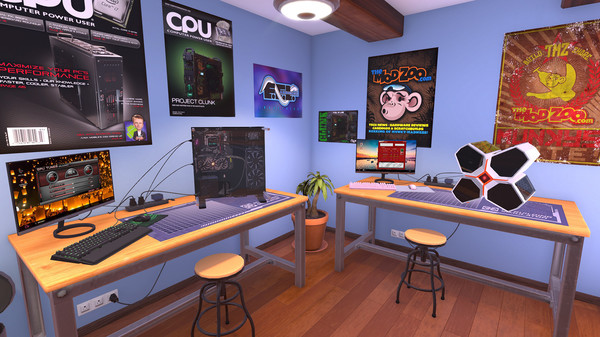
PC Building Simulator 2 puts you in charge of a computer repair and building business, working from a shop stacked with real, licensed components from AMD, Intel, NVIDIA, and dozens of other brands you’d actually find on a spec sheet. This isn’t an abstracted crafting menu. You’re handling motherboards, GPUs, cooling loops, and cable management the way you would on a real desk, screw by screw.
Career mode starts you off simple: diagnose a virus on a customer’s machine, run a basic repair, get comfortable with the tools. From there, jobs escalate. Cracked cases, failing power supplies, builds that need diagnosing from scratch before you can even think about fixing them. Every new job type comes with a tutorial baked in, so the difficulty ramps up without leaving you guessing what a part actually does.
Once you’ve got the fundamentals down, Free Build mode drops the training wheels entirely. No tutorials, no story context, just an open-ended queue of jobs delivered through in-game email that gets harder the longer you stick with it. There’s no defined endpoint here. You keep building, keep earning, keep pushing your workshop further.
The sequel’s biggest quality-of-life addition: you can now install software and apps without restarting the PC you’re working on, something that sounds small until you’re deep into a repair queue and every saved reboot actually matters. The Omega operating system returns with a visual refresh, and most of the utility apps from the first game are back, retooled to fit the sequel’s expanded systems.
Customization goes further this time too. Spray paint case parts to match a client’s aesthetic, build RGB lighting setups that actually look intentional, and put together boutique, benchmark-chasing rigs that go well past “it turns on.” Whether you’re chasing 3DMark scores or just want a machine that looks as good as it runs, the tools are here to get specific.
This release covers v1.15.06, delivered P2P, giving you the current build of the game with its full component catalog and both Career and Free Build modes intact.
Key Features
- Real, licensed hardware from AMD, Intel, NVIDIA, and other major manufacturers, modeled in accurate detail
- Career mode with structured jobs and built-in tutorials that scale in difficulty as you progress
- Free Build mode, an endless, tutorial-free job queue for players who’ve mastered the basics
- No-restart software installs, letting you configure a PC’s software without rebooting mid-job
- Refreshed Omega OS and updated in-game applications carried over from the original game
- Case customization, including spray paint finishes and custom RGB lighting setups
- Detailed diagnostics and repair systems, covering everything from virus scans to full hardware failures
- Benchmark testing, letting you see how your custom builds actually perform once assembled
- v1.15.06 build with the full component catalog and both core game modes included
System Requirements
MINIMUM:
- OS: Windows 7 or higher
- Processor: Intel Core i5-2500K or AMD Athlon X4 740 (or equivalent)
- Memory: 4 GB RAM
- Graphics: GeForce GTX 660 (2048 MB) or Radeon R9 285 (2048 MB) – Integrated GPUs may work but are not supported.
- DirectX: Version 9.0c
- Storage: 30 GB available space
- Sound Card: DirectX compatible
How To Install The Game
1) Download the game using a Torrent program or Direct program
2) Extract the game to your preferred location with WinRar or 7-Zip
3) Wait for the extraction to end
4) Copy the crack provided in Crack folder and paste to the game folder
5) Run the game via Start.bat
General Notes:
– Make sure you have Spacewar installed. Windows Key + R and type (steam://install/480).
– It is recommended to turn off your antivirus as some files get detected as false positive.
– In the case of an offline game, you may need to block it with firewall to prevent it from going online.
– Do not block the game with firewall if you are playing an online game with your friends.
– Turn Off your AntiVirus and Block the game’s exe in your firewall to prevent the game from
trying to go online ..
– If you install games to your system drive, it may be necessary
to run this game with admin privileges instead
– If you have a vac ban then you won’t able to play online games, create a new account if the account you gonna use have one of those.
-Need Help!! Join our server