Kingdom Rush Vengeance v1.16.4.0-P2P Download
Game Details
♂ After reviewing the game, BUY the game to support the developer
https://store.steampowered.com/app/458710
Screenshots
About This Game
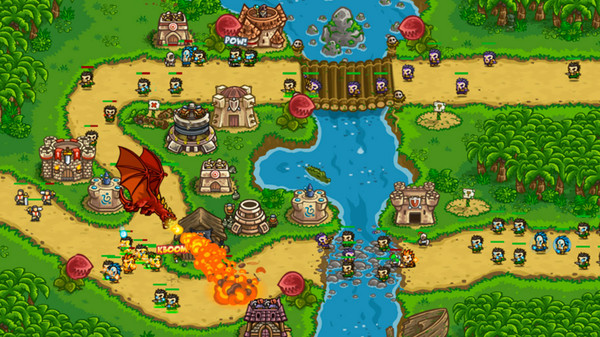
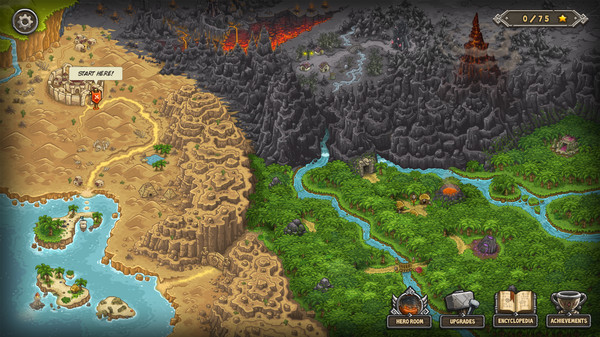
Kingdom Rush Vengeance is a tower defense strategy game where players command the dark side of the kingdom by building powerful towers, deploying heroes, and defending routes against waves of enemies across fantasy battlefields. Players use spells, upgrades, and tactical placement to stop invading forces while progressing through campaign missions filled with different enemy types and environmental challenges.
Version 1.16.4.0-P2P includes updated gameplay content, fixes, and balance improvements. The game features multiple tower paths, unlockable heroes, boss fights, and strategic combat mechanics while keeping the fast-paced tower defense gameplay style from the Kingdom Rush series.
Command your troops through an epic (mis)adventure as you defend exotic lands from dragons, man-eating plants, and ghastly denizens of the underworld -all with flashy new towers, levels, heroes, and more goodies to help you crush your foes in this Fantasy Action Tower Defense game!
System Requirements
MINIMUM:
- OS: Windows XP Service Pack 3
- Processor: Dual Core CPU
- Graphics: OpenGL 3.0 compliant with 512MB of video RAM.
- Storage: 1500 MB available space
How To Install The Game
1) Download the game using a Torrent program or Direct program
2) Extract the game to your preferred location with WinRar or 7-Zip
3) Wait for the extraction to end
4) No need to install the game, just start with the LAUNCHER of the game as administrator
5) Play!
General Notes:
– Make sure you have Spacewar installed. Windows Key + R and type (steam://install/480).
– It is recommended to turn off your antivirus as some files get detected as false positive.
– In the case of an offline game, you may need to block it with firewall to prevent it from going online.
– Do not block the game with firewall if you are playing an online game with your friends.
– Turn Off your AntiVirus and Block the game’s exe in your firewall to prevent the game from
trying to go online ..
– If you install games to your system drive, it may be necessary
to run this game with admin privileges instead
– If you have a vac ban then you won’t able to play online games, create a new account if the account you gonna use have one of those.
-Need Help!! Join our server
Download The Game
Important: This is not an official release of the game developer. Please after the test, buy game from the developer for the best experience.