Serious Sam 2 2.224.00-P2P Download

Game Details
♂ After reviewing the game, BUY the game to support the developer
https://store.steampowered.com/app/204340
Screenshots

About This Game
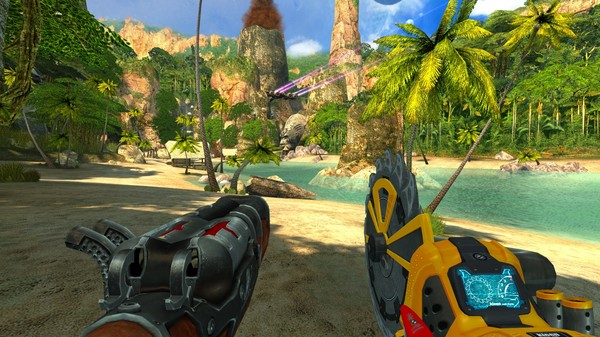
Serious Sam 2 is a fast-paced first-person shooter focused on large-scale combat, heavy weapons, and nonstop enemy waves across colorful sci-fi and fantasy environments. Players control Sam “Serious” Stone as he travels across different planets fighting alien armies, giant monsters, and powerful bosses using shotguns, rocket launchers, miniguns, and explosive weapons.
Version 2.224.00-P2P includes updated game files, fixes, and performance improvements. The game supports single-player and cooperative gameplay while focusing on arcade-style shooting, high enemy counts, vehicle sections, and chaotic action built around classic shooter mechanics.
Serious Sam 2 is a shot of adrenaline to the hearts of first-person shooter fans across the world. This is serious!
System Requirements
MINIMUM:
- OS:Windows XP
- Processor:1.5 GHz Athlon XP or Pentium M or 2 Ghz Pentium 4
- Memory:256 MB RAM
- Graphics:DirectX 8.0/8.1 compliant or low-end DirectX 9 3D accelerator (nVidia GeForce3 and 4 series (not MX), GeForceFX 5200 through 5700 series, ATI Radeon 8500 through 9200 and X300 series, S3 DeltaChrome or XGI Volari)
- DirectX®:8.0
- Hard Drive:3 GB HD space
- Sound:Any DirectSound compatible sound board
How To Install The Game
1) Download the game using a Torrent program or Direct program
2) Extract the game to your preferred location with WinRar or 7-Zip
3) Wait for the extraction to end
4) No need to install the game, just start with the LAUNCHER of the game as administrator
5) Play!
General Notes:
– Make sure you have Spacewar installed. Windows Key + R and type (steam://install/480).
– It is recommended to turn off your antivirus as some files get detected as false positive.
– In the case of an offline game, you may need to block it with firewall to prevent it from going online.
– Do not block the game with firewall if you are playing an online game with your friends.
– Turn Off your AntiVirus and Block the game’s exe in your firewall to prevent the game from
trying to go online ..
– If you install games to your system drive, it may be necessary
to run this game with admin privileges instead
– If you have a vac ban then you won’t able to play online games, create a new account if the account you gonna use have one of those.
-Need Help!! Join our server