


Game Details
- Very Positive (2,202)
♂ After reviewing the game, BUY the game to support the developer
https://store.steampowered.com/app/658850
Screenshots

About This Game
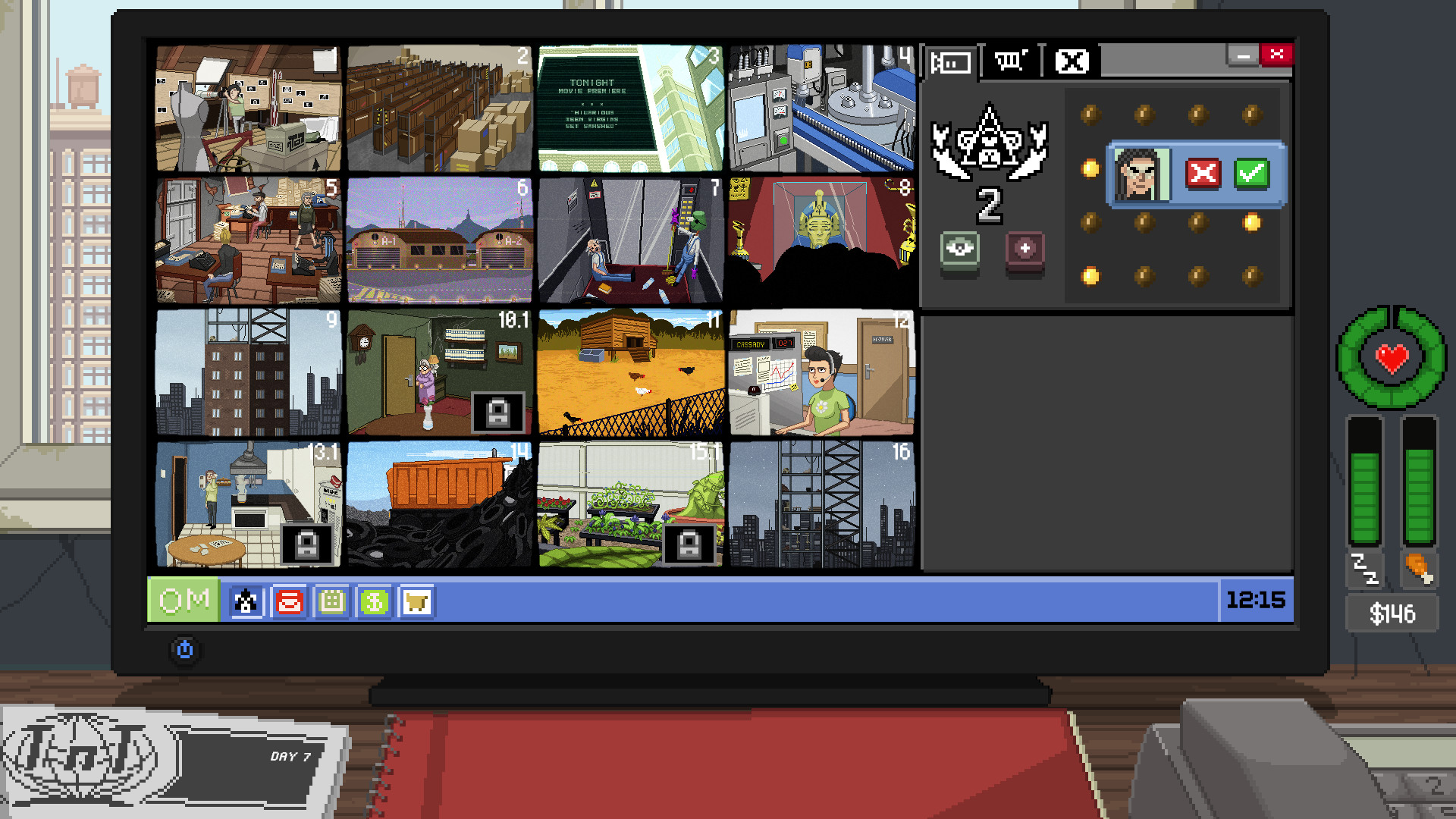
Do Not Feed the Monkeys is a voyeur simulation and management game where players observe strangers through hidden surveillance feeds while uncovering personal stories, secrets, and suspicious activities. Players monitor different “cages,” collect information, manage daily expenses, and decide whether to interfere with the lives they are watching.
Version 4480036 includes updated content, fixes, and gameplay improvements. The game mixes investigation, time management, and narrative decision-making with dark humor and multiple story outcomes shaped by the player’s actions and choices.
A digital voyeur simulator where you watch strangers through surveillance cameras. Invade their privacy and witness their most intimate moments, but don’t interact with the subjects – anything could happen if you dare feed the monkeys!
System Requirements
MINIMUM:
- OS *: Windows 7 SP1
- Processor: 2 GHz Dual Core CPU
- Memory: 2 GB RAM
- Graphics: Nvidia GeForce 8600 GS, ATI Radeon HD 3470
- DirectX: Version 9.0c
- Storage: 1 GB available space
- Sound Card: DirectX 9.0c Compatible Sound Card with Latest Drivers
- Additional Notes: Using the Minimum Configuration, we strongly recommend to use minimal settings in order to not experience low frame rates.
Game Installation Guide
1) Download the game using a Torrent program or Direct program
2) Extract the game to your preferred location with WinRar or 7-Zip
3) Wait for the extraction to end
4) No need to install the game, just start with the LAUNCHER of the game as administrator
5) Play!
General Notes:
– Make sure you have Spacewar installed. Windows Key + R and type (steam://install/480).
– It is recommended to turn off your antivirus as some files get detected as false positive.
– In the case of an offline game, you may need to block it with firewall to prevent it from going online.
– Do not block the game with firewall if you are playing an online game with your friends.
– Turn Off your AntiVirus and Block the game’s exe in your firewall to prevent the game from
trying to go online ..
– If you install games to your system drive, it may be necessary
to run this game with admin privileges instead
– If you have a vac ban then you won’t able to play online games, create a new account if the account you gonna use have one of those.
-Need Help!! Join our server
Download The Game
Important: This is not an official release of the game developer. Please after the test, buy game from the developer for the best experience.


