Gamble With Your Friends v1.0.4 + OnLine Download

Game Details
- Very Positive (1,762)
♂ After reviewing the game, BUY the game to support the developer
https://store.steampowered.com/app/3892270
Screenshots

About This Game
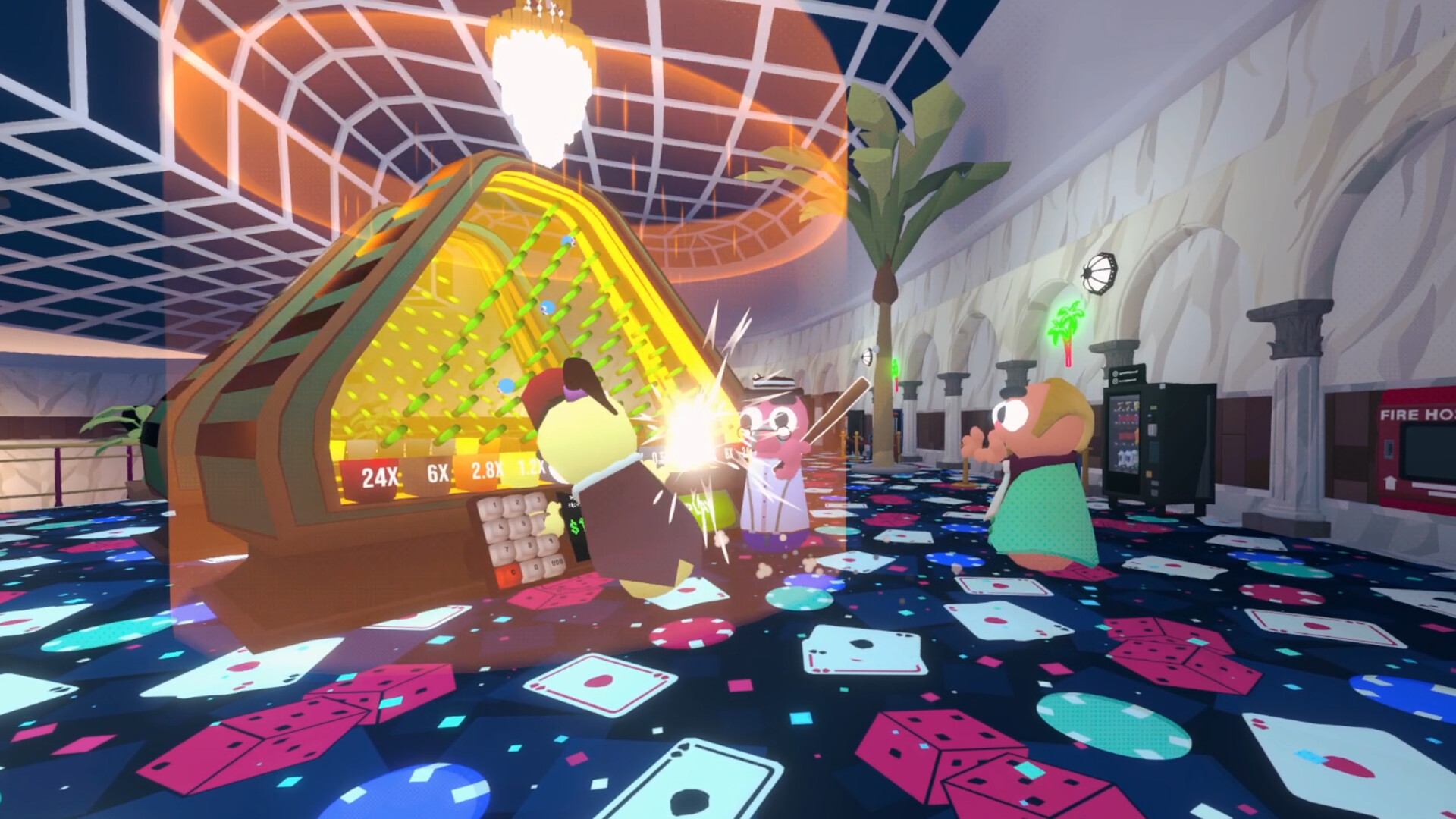
Gamble With Your Friends is a multiplayer party and casino-style game where players compete in different gambling-inspired mini-games through online matches. Players can take part in card games, betting challenges, luck-based events, and quick competitive rounds while interacting with friends in casual multiplayer sessions.
Version 1.0.4 includes gameplay fixes, online improvements, and updated content for smoother multiplayer performance. The game focuses on social gameplay, fast match pacing, simple controls, and lighthearted competition across different game modes and customizable player setups.
An online 1-6 player co-op “casino crawler” where you and your friends share one bank account and one massive debt. Gamble, buy sketchy items, make terrible decisions, and climb an ominous casino tower to hit your loan shark’s daily quota in 5 minutes – or face the
System Requirements
MINIMUM:
- OS: Windows 10
- Processor: Core i5 6600
- Memory: 8 GB RAM
- Graphics: GTX 970
- DirectX: Version 11
- Network: Broadband Internet connection
- Storage: 3 GB available space
Game Installation Guide
1) Download the game using a Torrent program or Direct program
2) Extract the game to your preferred location with WinRar or 7-Zip
3) Wait for the extraction to end
4) No need to install the game, just start with the LAUNCHER of the game as administrator
5) Play!
How to Setup and Run the Game
1) Download Steam-Fix
2) Copy the content of this crack to your game folder
3) Start Steam , go to your profile.
4) Run the game through Gamble With Your Friends.exe, which is in the game folder.
5) In-game ➜ Joining : Accept an invitation from a friend.
Hosting : + ➜ Invite your friends and wait for them to connect ➜ Host Game.
6) Play & Enjoy !
Modes: MultiPlayer ❌ | Co-oP 
Fix From: OnlineFix (0xdeadcode)
Note : Interface language: English, Russian
General Notes:
– Make sure you have Spacewar installed. Windows Key + R and type (steam://install/480).
– It is recommended to turn off your antivirus as some files get detected as false positive.
– In the case of an offline game, you may need to block it with firewall to prevent it from going online.
– Do not block the game with firewall if you are playing an online game with your friends.
– Turn Off your AntiVirus and Block the game’s exe in your firewall to prevent the game from
trying to go online ..
– If you install games to your system drive, it may be necessary
to run this game with admin privileges instead
– If you have a vac ban then you won’t able to play online games, create a new account if the account you gonna use have one of those.
-Need Help!! Join our server
Download The Game
Important: This is not an official release of the game developer. Please after the test, buy game from the developer for the best experience.