

Game Details
♂ After reviewing the game, BUY the game to support the developer
https://store.steampowered.com/app/1807360/
Screenshots
About This Game
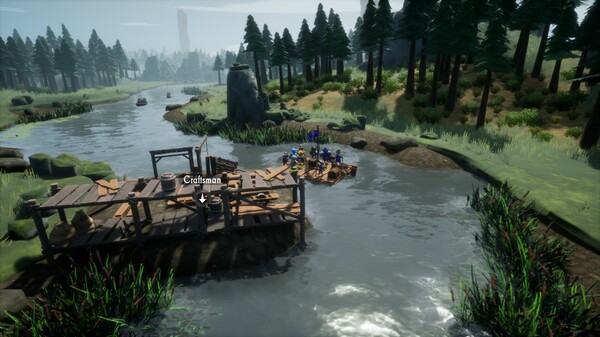
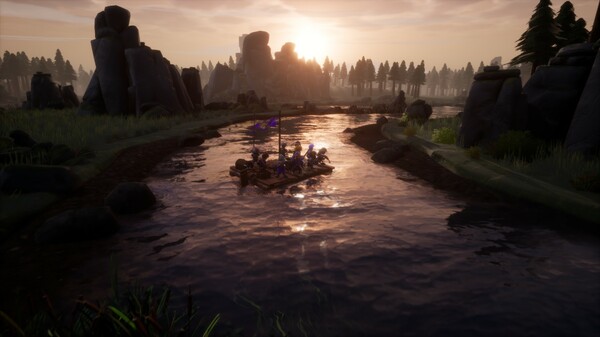
Dreadful River is a survival adventure game where players travel down a dangerous river through hostile territories filled with enemy camps, wildlife, and environmental threats. Players control a moving raft while gathering resources, upgrading equipment, fighting enemies, and making choices that affect survival during the journey.
Version 1.0.8.0-P2P includes updated gameplay content, fixes, and performance improvements. The game combines exploration, combat, crafting, and resource management with procedurally generated encounters and changing river routes that create different challenges during each run.
The realm is under attack. The king and his most loyal guards are trying to save the Eternal Crown. Floating down a vast river on a simple raft, you have to fight enemies, improve your gear, find allies and explore mysteries along the shores. Can you turn the tide?
System Requirements
MINIMUM:
- Requires a 64-bit processor and operating system
- OS: Windows 10, 11
- Processor: Quad-core Intel or AMD, 2.5 GHz
- Memory: 8 GB RAM
- Graphics: DirectX 11, 12 compatible graphics card
- DirectX: Version 11
- Storage: 10 GB available space
- Sound Card: DirectX compatible Sound card
- Additional Notes: Latest drivers Vulkan: AMD (21.11.3+) and NVIDIA (496.76+)
Game Installation Guide
1) Download the game using a Torrent program or Direct program
2) Extract the game to your preferred location with WinRar or 7-Zip
3) Wait for the extraction to end
4) No need to install the game, just start with the LAUNCHER of the game as administrator
5) Play!
General Notes:
– Make sure you have Spacewar installed. Windows Key + R and type (steam://install/480).
– It is recommended to turn off your antivirus as some files get detected as false positive.
– In the case of an offline game, you may need to block it with firewall to prevent it from going online.
– Do not block the game with firewall if you are playing an online game with your friends.
– Turn Off your AntiVirus and Block the game’s exe in your firewall to prevent the game from
trying to go online ..
– If you install games to your system drive, it may be necessary
to run this game with admin privileges instead
– If you have a vac ban then you won’t able to play online games, create a new account if the account you gonna use have one of those.
-Need Help!! Join our server


